

How to securely wipe or destroy an SSD: a business guide
You securely wipe a working SSD with the erase command built into the drive itself, or cryptographically by destroying the encryption key.
November 23, 2026
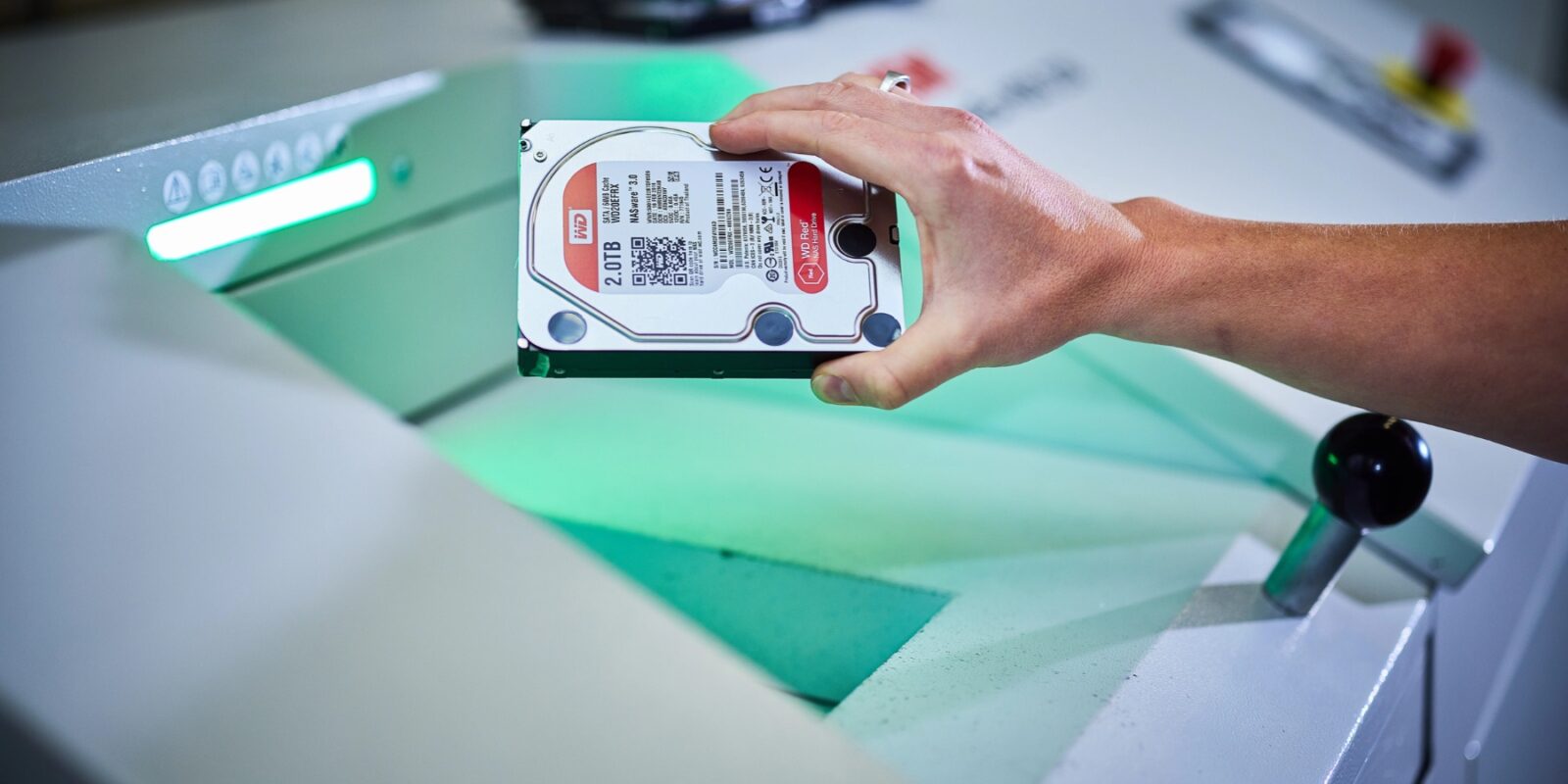
A formatted SSD is not provably empty. When laptops, desktops or servers with SSDs leave your organisation, you want to be certain nothing is left on them. And with an SSD, that works differently from a hard drive.
In short
You securely wipe a working SSD with the erase command built into the drive itself, or cryptographically by destroying the encryption key. You then verify the result and record it. Is the SSD faulty, does it refuse the command, or do you want zero risk with highly sensitive data? Then have it destroyed into particles so small that no memory chip survives.
On this page
| 1. Why is an SSD harder to wipe? | 2. Wipe or destroy? |
| 3. How to securely wipe an SSD | 4. How destruction works |
| 5. What do you need to prove? | 6. Our approach |
Because you don’t decide where your data is stored. The controller does, the small processor inside the SSD that handles all the writing.
Flash memory wears a little with every write, so the controller spreads new data as evenly as possible across all memory cells. This is called wear levelling. An edited file is written to a new location, while the old version stays where it was for the time being. On top of that comes spare capacity you can’t see as a user, known as over-provisioning. A program that overwrites the drive from Windows or macOS therefore can’t reach everything.
From research
Researchers at the University of California San Diego read the memory chips of wiped SSDs directly for a 2011 study. Overwriting individual files consistently failed. The built-in erase commands mostly worked, but some drives had a bug that in certain cases left all the data intact. Those SSDs are old now. The lesson isn’t. Don’t trust an erase command blindly, check the result.
Formatting or degaussing won’t solve this, and a degausser only works on magnetic storage anyway. You can read more in wiping a laptop or hard drive: why these common methods don’t work.

Three questions usually get you to the answer.
Still unsure? You can do both. Wipe first, then destroy.
Securely wiping an SSD takes four steps. Where it goes wrong is mostly in the details.
Record the make, model and serial number of the SSD in each device. Also check what type of drive it is, because that determines which erase command you use.
Most modern SSDs have built-in commands that wipe the entire drive, including the hidden spare capacity. The controller then clears every memory block itself. Which command you need depends on the interface.
If the SSD stores all data encrypted by default, as a self-encrypting drive does, you can also erase it cryptographically. The drive destroys the key, and whatever remains is unreadable. Fast, but only reliable if everything really has been encrypted from the start.
Watch out for two pitfalls. Some computers put a SATA drive into a protected state at start-up, so it refuses the erase command. And these commands don’t always get through a USB enclosure.
A command reporting that it has finished proves nothing yet. That’s why the US guideline NIST SP 800-88, widely used in the UK and Europe as well, calls for verification. You read back a sample, or the whole drive, to check it really is empty. Wiping an SSD with a built-in command falls under what NIST calls Purge, the level at which even a laboratory can no longer recover the data.

Create an erasure report for every SSD. As a minimum, it should include:
Professional erasure software can generate that report for you. Keep it with your records, because that’s what an auditor or regulator will ask for. Rather not handle it yourself? You can use certified data erasure instead.
Tip: record serial numbers before the equipment leaves the building. Afterwards you can check every erasure report or certificate of destruction against your own list, and see straight away whether a drive is missing.
When wiping isn’t possible or isn’t allowed. Think of an SSD that no longer starts, a controller that refuses the erase command, or a policy that always requires physical destruction for certain data.
There’s a catch, though. An SSD stores its data on a few small memory chips, and a coarse shredder designed for hard drives can leave such a chip intact. A hammer or drill gets you even less far, as you can read in how to destroy a hard drive.
That’s why the German standard DIN 66399, also published internationally as ISO/IEC 21964, has a separate category for electronic data carriers such as SSDs, USB sticks and memory cards. That’s category E, with seven levels. The higher the level, the smaller the particles left behind. At E-5 they are smaller than 10 mm². For data that needs stronger protection, the National Cyber Security Centre advises erasing the media first and then destroying it.
You choose where it happens. With on-site destruction, a mobile shredder comes to you and you see it with your own eyes. Off site, the SSDs travel in secure transport to a facility for data destruction. Either way, you receive a certificate of destruction.
On our hard drive shredding page you’ll find both options for HDDs and SSDs, and you can request a quote straight away.
That you protected personal data right to the end. Under the UK GDPR, erasing or destroying data is itself a form of processing, so the usual rules simply apply.
Under Article 5(2) you must be able to demonstrate that you comply. Article 32 requires appropriate technical and organisational measures. If you outsource the work, Article 28 comes into play as well. You may then only use a processor that provides sufficient guarantees, and you set out the arrangements in a written contract.
If an SSD with readable personal data ends up in the wrong hands, you have a personal data breach. Where it poses a risk to people, you must report it to the ICO, where feasible within 72 hours. After an incident like that, everyone wants to know what happened. And what you had on record.
The same rules apply to servers and storage, just on a larger scale. Clearing a server room with dozens of SSDs? Handle erasure, destruction and logistics as one project, as with data centre decommissioning.
Circular IT group is certified to standards including ISO 27001 and Cyber Essentials, and holds ADISA ITAD Essentials at Silver level. Working SSDs that only need wiping are erased with Blancco, certified erasure software that works to NIST 800-88, with a report afterwards. If the hardware still has value, we can also buy it back.
SSDs that need to be destroyed are shredded to DIN 66399 E5, at your premises or at our facility in East Kilbride, near Glasgow. At the facility, a drive that still works is erased with Blancco first. Each drive is logged by its serial number beforehand, and you receive a certificate of destruction showing the serial number, the method and the date. The remaining metal and plastic is recycled wherever possible.
Want to know which approach suits your equipment? Get in touch and we’ll look at it together.
How to securely wipe or destroy an SSD: a business guide
You securely wipe a working SSD with the erase command built into the drive itself, or cryptographically by destroying the encryption key.

How to destroy a hard drive: why these popular methods don’t work (and what does)
We debunk the most popular DIY methods for destroying storage media, and show you at the end what actually works.
How long does a business laptop last?
How long can your business laptop stay in service? Assess performance, support and repair costs, then choose a secure route for reuse or recycling.

Dimitri Wams
CEO
We’re happy to help!
Get in touch