

Wiping a laptop or hard drive? Why these common methods don’t work
Laptop cleared, drive formatted, factory settings restored. Ready to go? Often not.
October 28, 2026
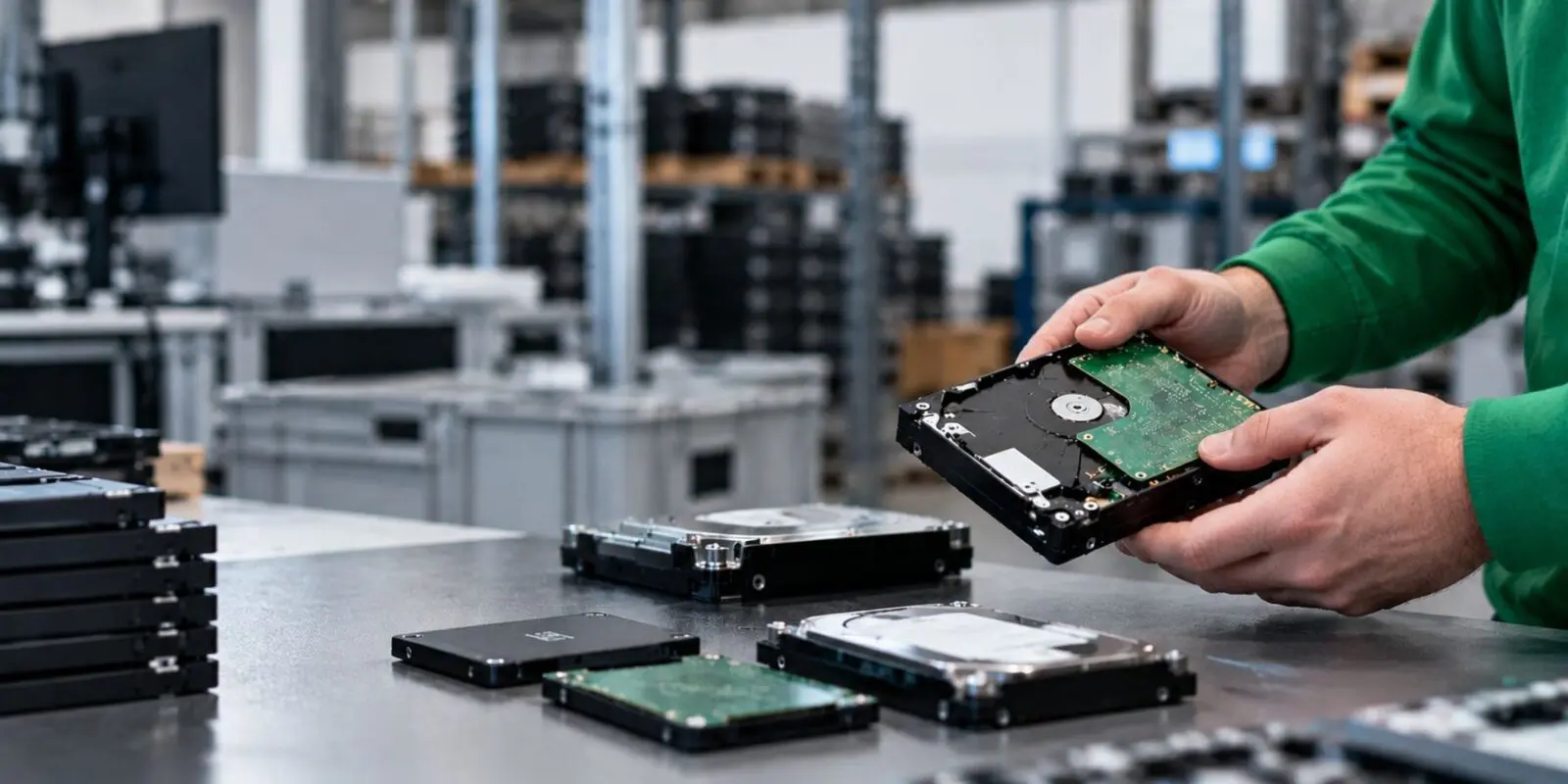
Laptop cleared, drive formatted, factory settings restored. Ready to go? Often not.
In short
Formatting, emptying the recycle bin or a factory reset usually doesn’t really erase your data. On an SSD in particular, enough is often left behind to recover. What does work is an erasure method that suits the storage, carried out with certified software, followed by verification and an erasure certificate for every device.
On this page
| 1. Why does data stay put? | 2. Eight methods that fall short |
| 3. How do you wipe data safely? | 4. Which method works when? |
Deleting a file usually only removes the pointer to it, not the file itself. The contents stay on the drive until your computer happens to write something new over them. Until then, free recovery software brings them straight back.
Think of a book with a table of contents. You cross out a chapter in the contents, but the pages are still in the book.
An SSD makes it harder. Wear levelling is a technique in SSDs that spreads the writing across the memory chips so they all wear at the same rate. So the SSD decides for itself where your data ends up. Over-provisioning is spare capacity on an SSD that you can’t see as a user. Together, they mean Windows or macOS doesn’t know exactly where all your data sits, and a program that overwrites the drive can’t reach every corner.
From the guidance
The UK’s National Cyber Security Centre puts it plainly. Simply hitting the delete key isn’t enough. And according to the latest NIST guidelines (2025), spare cells and wear levelling make it infeasible for a user to remove all previous data from flash storage through the normal interface. That goes for SSDs, but also for USB sticks and memory cards.

None of these eight methods gives you both certainty and proof. A few come close, mostly on a hard drive. On an SSD, or the moment you need to show the data is gone, they run out of road.
Out of sight isn’t gone. Emptying the recycle bin only removes the pointer. The contents are still on the drive, and free recovery tools are built for exactly this situation.
Empty on the surface, full underneath. A quick format creates a new, empty file system. That’s all. Your old files are still sitting underneath.
Better, but not enough. A full format in Windows writes zeros across the whole hard drive, according to Microsoft itself. That helps. You still get no verification and no report, though. Damaged areas the drive has already switched off are skipped, and that’s exactly where old data can linger. On an SSD, the operating system can’t even reach the spare capacity.
Not even Microsoft offers a guarantee. A reinstall only overwrites the part of the drive Windows needs. The “Remove everything” option with drive cleaning goes further, but Microsoft promises no more than that it “makes it harder” for others to recover your files. Harder isn’t the same as impossible.

Reasonable on a phone or newer Mac, weaker on a Windows laptop, provable on neither. A recovery partition is a hidden section of the drive where the manufacturer keeps a copy of Windows. A factory reset on a laptop usually just restores that copy, with the same limits as above.
Modern phones do better. Android devices launched with Android 10 or later encrypt their storage by default, and the NCSC notes that on encrypted devices a factory reset deletes the encryption keys.
Apple works in a similar way. According to Apple, “Erase All Content and Settings” on an iPhone, iPad or a Mac with Apple silicon or a T2 chip obliterates the keys, which renders all user data cryptographically inaccessible. Older Macs without a T2 chip don’t have that option.
For an organisation there are still gaps, such as older devices, removable memory cards and no proof per device.
Once the standard, now outdated. DBAN is a free program for overwriting hard drives, and for years it was the go-to advice. Its own website now says DBAN isn’t designed to reliably wipe SSDs, isn’t certified and no longer gets updates.
File shredders run into the same wall. They overwrite a single file, but on an SSD they don’t know where the old copies of that file physically sit.
Good idea, but trust isn’t proof. ATA Secure Erase is an erase command built into the drive itself. For an SSD it’s in principle the right route. The catch is that every manufacturer implements it differently, and NIST itself points out that these commands require you to trust how the vendor built them. If you don’t verify afterwards, you don’t know whether it worked.
Degaussing is a method that erases magnetic storage with a very strong magnetic field. On a traditional hard drive or backup tape it can work. The NCSC does warn that degaussers have specific strengths and that not every degausser works on every hard drive technology.
On an SSD, USB stick or memory card, degaussing does nothing. They store data in flash memory, not on a magnetic layer. If an SSD can’t be wiped, have it destroyed down to chip level. For a hard drive, hard drive shredding is the safe route.

Secure data erasure comes down to three things. A method that suits the storage, certified software and proof for every device. Whether you want to wipe a laptop, a server or a phone, that proof matters to an organisation as much as the erasure itself.
The UK GDPR expects you to demonstrate that you protect personal data properly (Article 5(2)) and take appropriate security measures (Article 32). Lose a device with readable personal data on it? According to the ICO, that’s a personal data breach, and a notifiable breach has to be reported within 72 hours.
Certified data erasure
If you want to wipe a hard drive, overwriting is often enough. An SSD needs a heavier approach, either the erase command built into the SSD or destroying the encryption key. That last option is called cryptographic erase. If you use BitLocker on Windows or FileVault on a Mac, your laptop is already encrypted. That cuts the risk considerably, but it only counts as erasure once you provably destroy the key.
This split comes from NIST SP 800-88, an international guideline on data sanitisation. The latest version came out in September 2025 and uses three levels.
The NCSC guidance adds a practical step for unencrypted flash storage. Overwrite the entire accessible memory, check for remapped and bad sectors, then read everything back to confirm it really has been overwritten.
An erasure certificate is a per-device report that records which drive you wiped, how and when. Professional erasure software picks the right command for each drive, checks the result and creates that certificate itself. When an auditor, a customer or the regulator asks, that’s your evidence.
According to NIST SP 800-88, a certificate records at least:
Sometimes, yes. For a single encrypted personal phone, a factory reset usually does the job. Professional erasure also costs money and time, and devices sometimes have to leave the building for it.
For an organisation, it’s a different picture. You’re not wiping one device but dozens or hundreds, and for every one of them you need to show it went right. A standalone reset doesn’t close that gap.

At Circular IT group we erase storage media with Blancco, certified erasure software that works to standards such as NIST 800-88 and ISO 27040. Blancco covers hard drives, SSDs and mobile devices, each with an erasure method that suits that type of storage. After every erasure, the software generates a certificate with serial number and timestamp.
The NCSC advises choosing a provider with recognised certifications such as ADISA. Circular IT group holds the ADISA ITAD Essentials certification.
You get written proof for every device that the data is gone, and the hardware stays fit for a second life.
A faulty drive, or one that refuses the erase command, needs physical destruction. You can read how that works, from shredding at our service centre to destruction on site, on our data destruction page.
Properly wiped means ready for a second life. A laptop, server or phone that’s provably empty can simply go back to work. That saves money and e-waste. Explore our full ITAD offering, find out how IT asset recovery turns wiped hardware into value, or read laptop disposal, destruction or donation to see which choice suits your situation.
Only certified erasure with verification ticks all three boxes. The other methods fall down on an SSD, on proof, or both.
Got equipment ready to leave the building? Whether it’s a handful of laptops or an entire server estate, get in touch and we’ll work out the best approach together.
Wiping a laptop or hard drive? Why these common methods don’t work
Laptop cleared, drive formatted, factory settings restored. Ready to go? Often not.
IT Reuse or Recycling: What’s the Difference?
Reuse and recycling are often used interchangeably, but they're two very different routes for retired IT hardware. With reuse, a device stays intact and gets a second life as a refurbished laptop or desktop. With recycling, a device is broken down into raw materials for new products.

The waste hierarchy for IT hardware: from prevention to recovery
The waste hierarchy comes up in most conversations about sustainable IT, but it only tells half the story. Below, we cover what the hierarchy actually says, how the more detailed 9R framework builds on it, and what both mean for the laptops, desktops and servers your organisation runs.

Dimitri Wams
CEO
We’re happy to help!
Get in touch